Auto repair shop software for independent garages: Every bay.
Every tech.
One screen.
Check cars in by VIN, inspect, quote, schedule your techs, send the invoice and get paid by text, all from a phone. One price for your whole shop: $79 a month with unlimited mechanics.
Card required to start. Cancel before day 14 and you won't be charged.

- $79
- a month, flat
- Unlimited
- mechanics included
- Any phone
- iPhone, Android or computer
- No contract
- cancel anytime
How it works
A day in the shop, start to finish.
Follow one car from the moment it pulls in to the moment the customer pays. These are real screens from the app.
- 1Check in
Scan the VIN. The car is in the system.
Point your phone at the VIN and Baybolt fills in the year, make, model and engine. Customer details stay attached to the vehicle for next time.
More about the VIN scanner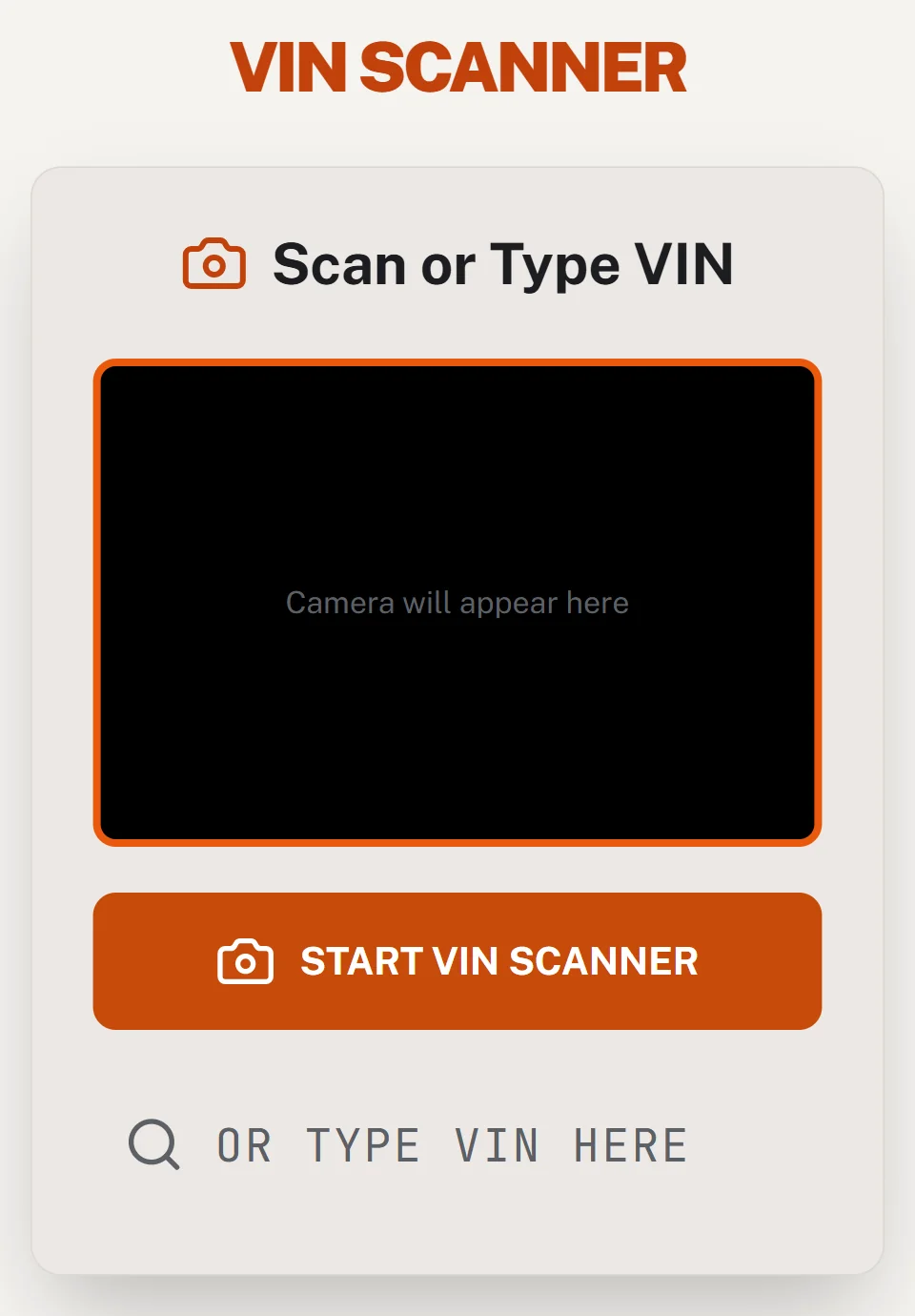
- 2Inspect
Inspections customers can actually read.
Mark each item green, yellow or red, and add photos. The customer gets a clean report instead of a handwritten sheet.
More about inspections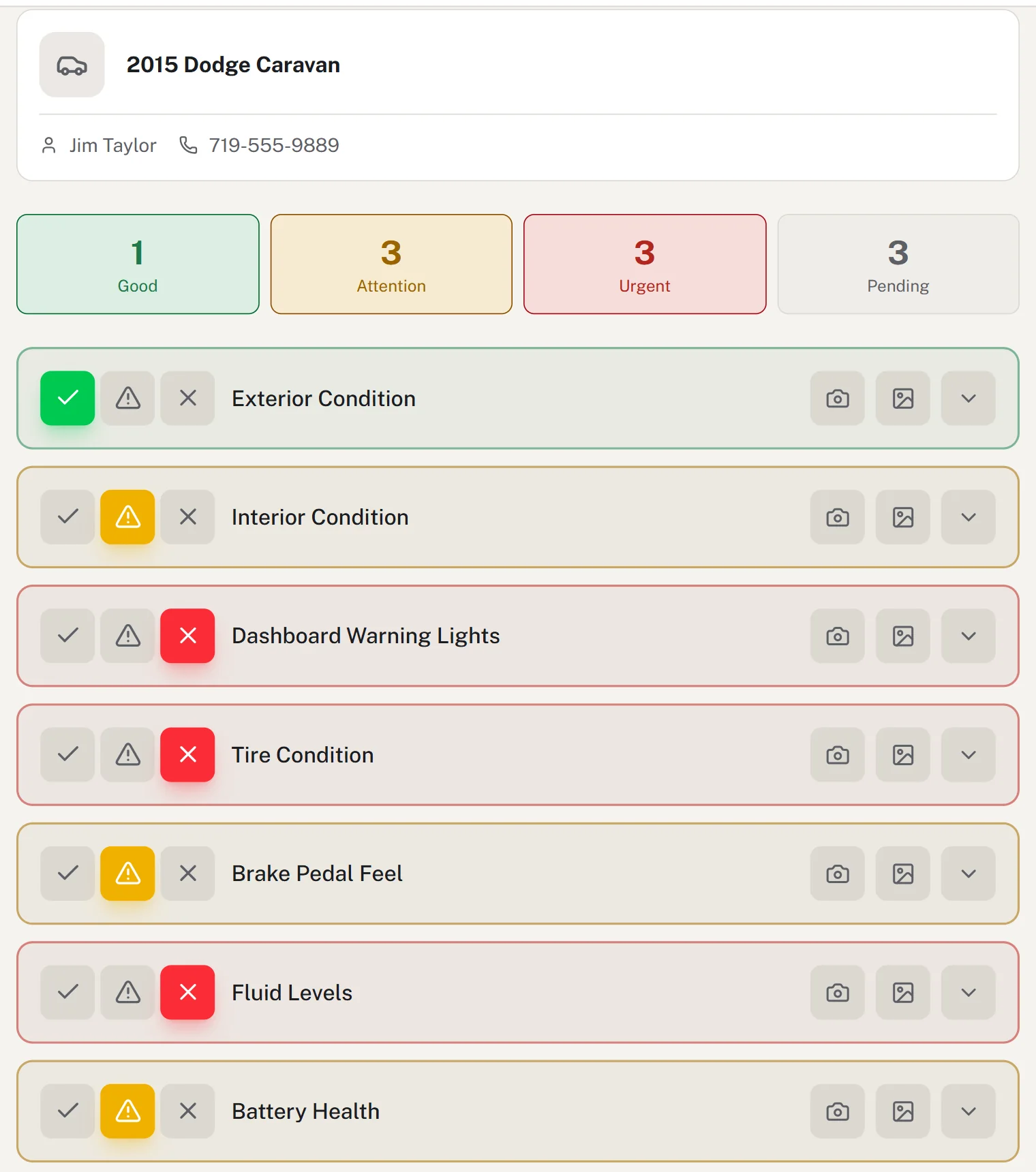
- 3Quote & approve
Build the quote. They tap approve.
Add parts and labor to the quote, or drop in a saved job like a brake job in one tap. Send the inspection by text or email, and customers approve or decline each item from their phone.
More about saved jobs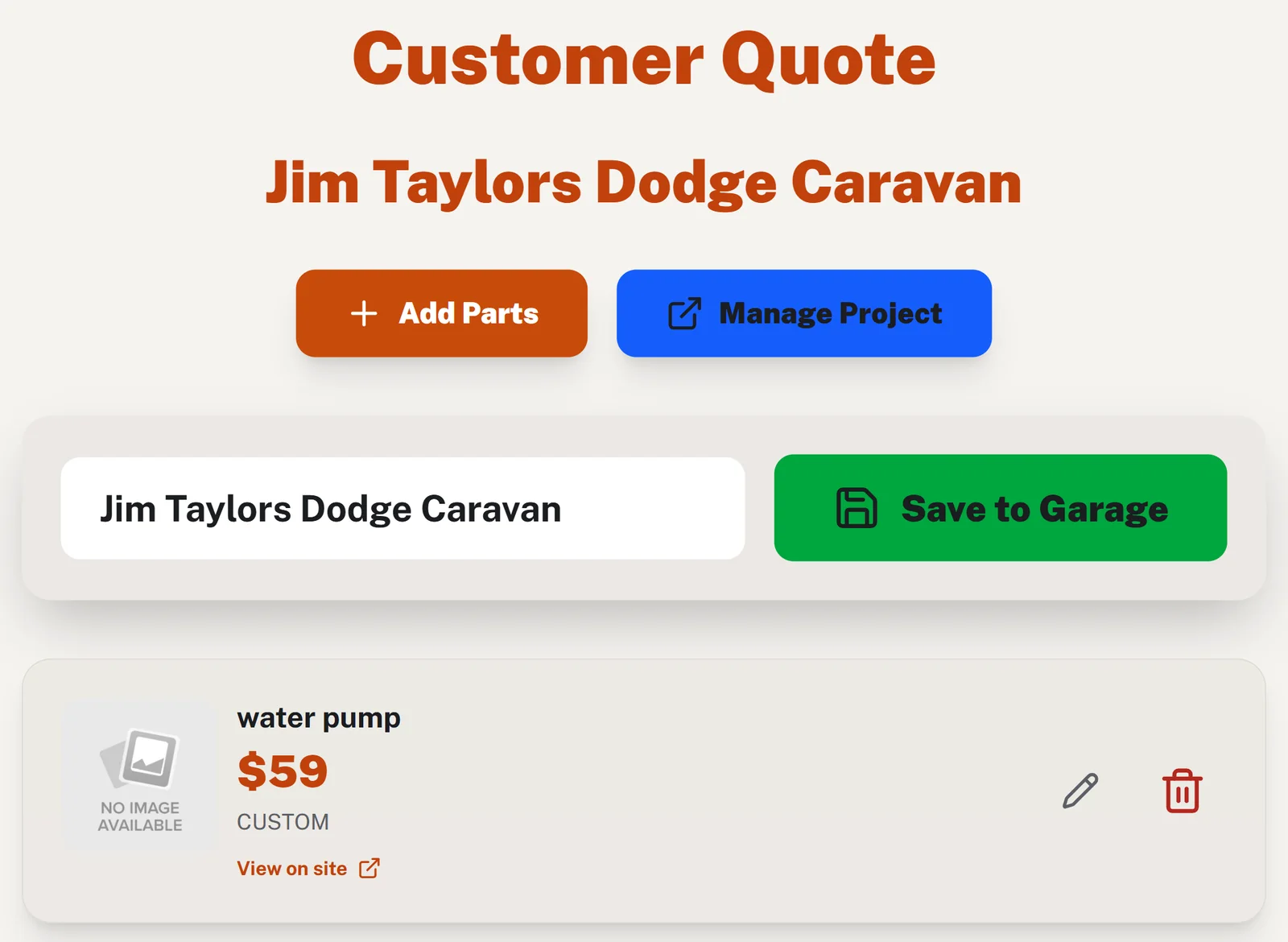
- 4Assign & track
Everyone knows what they’re working on.
Assign jobs to mechanics on a drag-and-drop board. Techs clock in and out from their phone, and you see hours on every job as they happen.
More about time tracking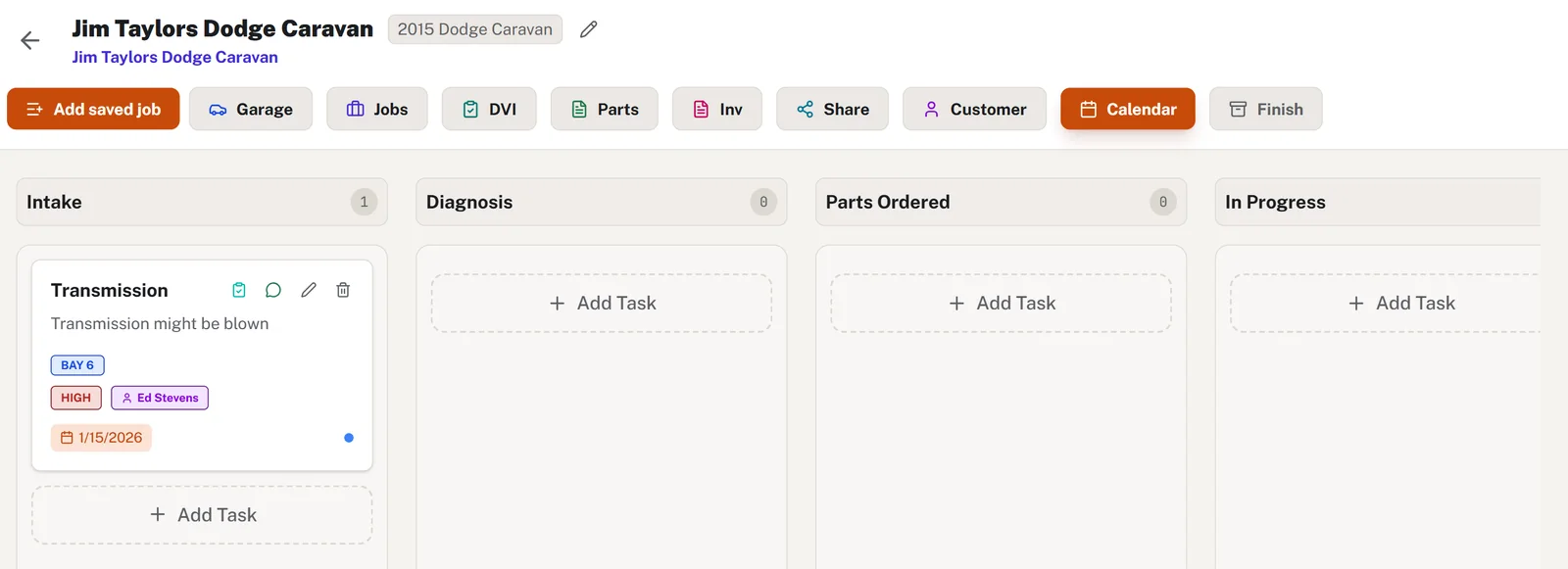
- 5Invoice
From done to a professional invoice in a minute.
Parts and labor roll into a clean PDF invoice with tax and discounts. Email it, text it, or download it, and export everything to CSV for your accountant.
More about invoicing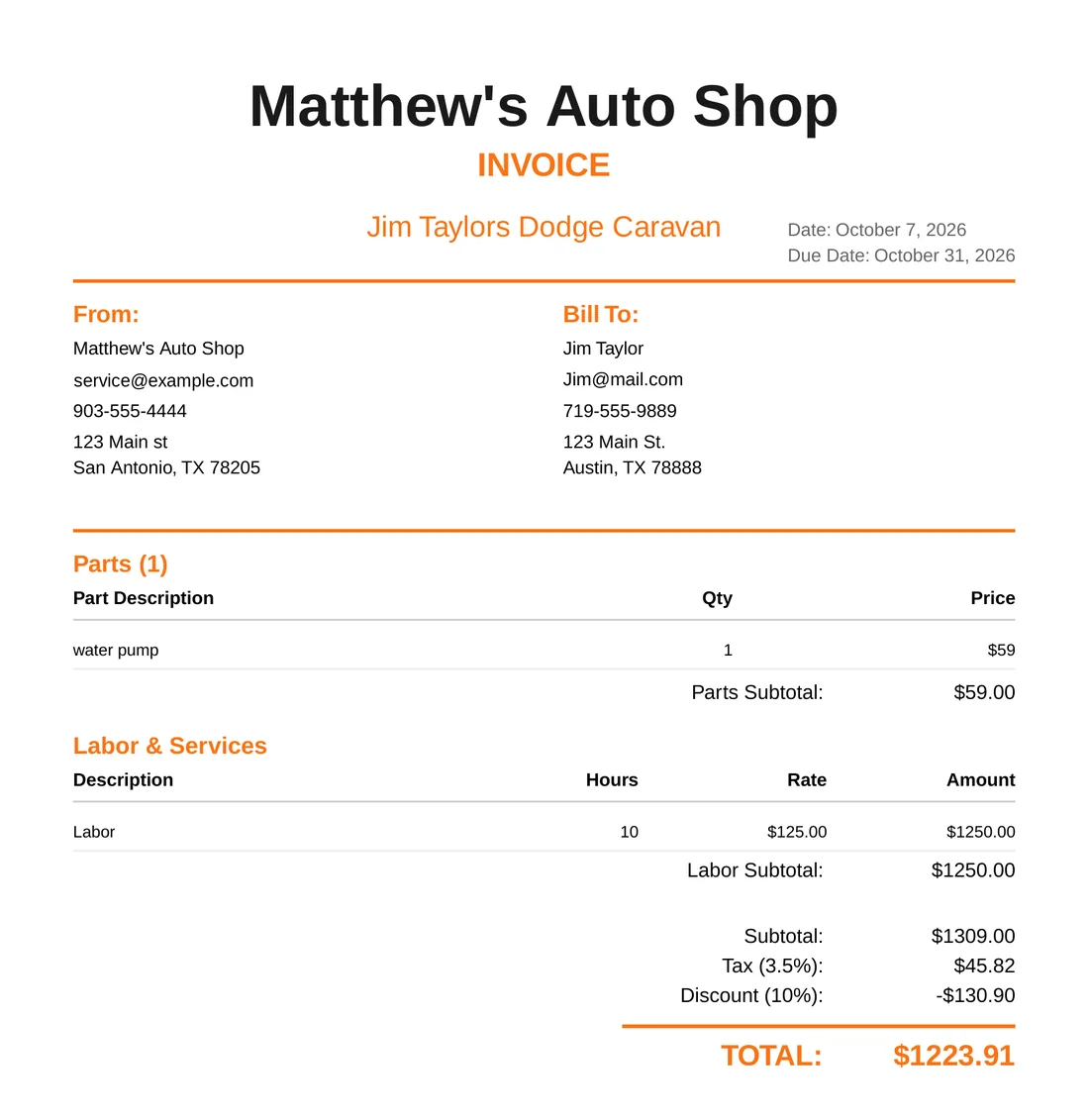
- 6Get paid
Text them the bill. They pay from their phone.
Send a payment link by text or email. The customer taps Pay and checks out with their card, and the money goes straight to your own Stripe account. Baybolt adds no fees.
More about text-to-pay
Run the shop
The front office, handled.
Schedules, customers, payments and reminders, in the same app your techs already use.
Team schedule
The whole week on one screen.
See who is working each day and their total hours. Tap a day to change it, or copy last week in one click. Mechanics get a notification on their phone when their hours change.
More about scheduling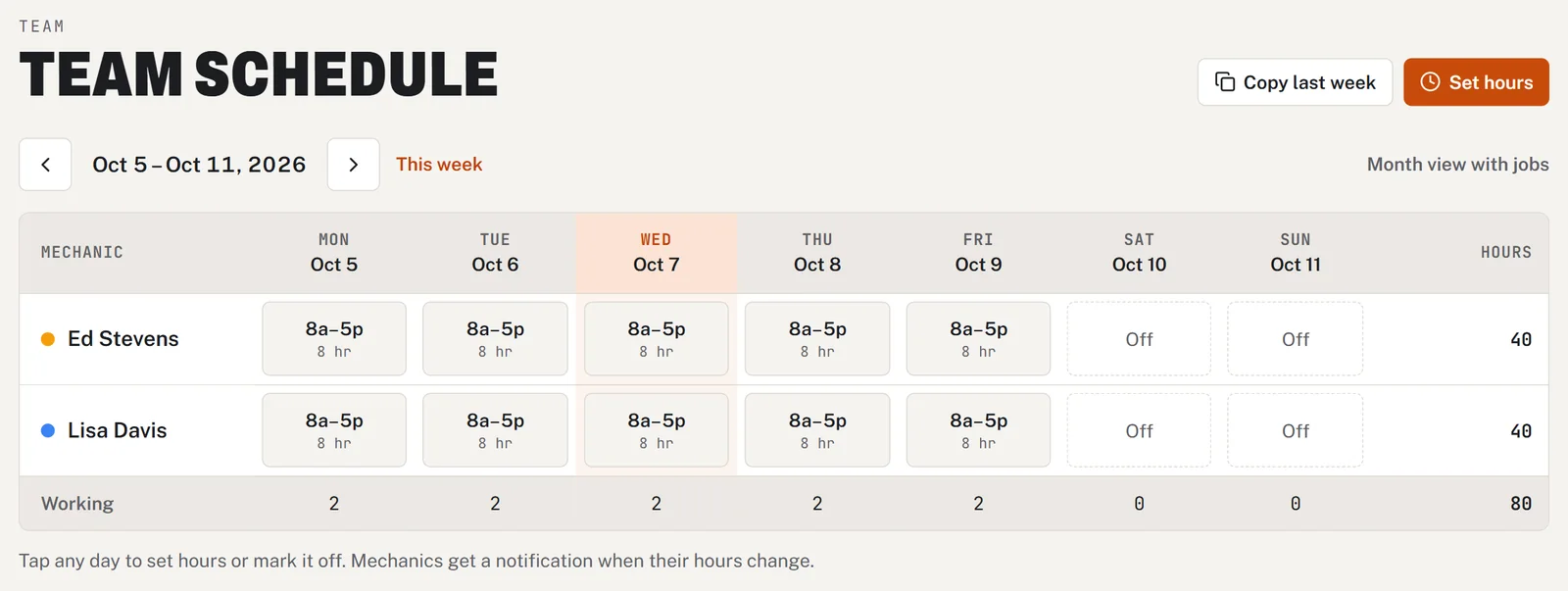
Customers
Every customer, every car, every visit.
Look anyone up by name, phone, vehicle or VIN. Call, text or email them in one tap, and see what you did last time.
Learn more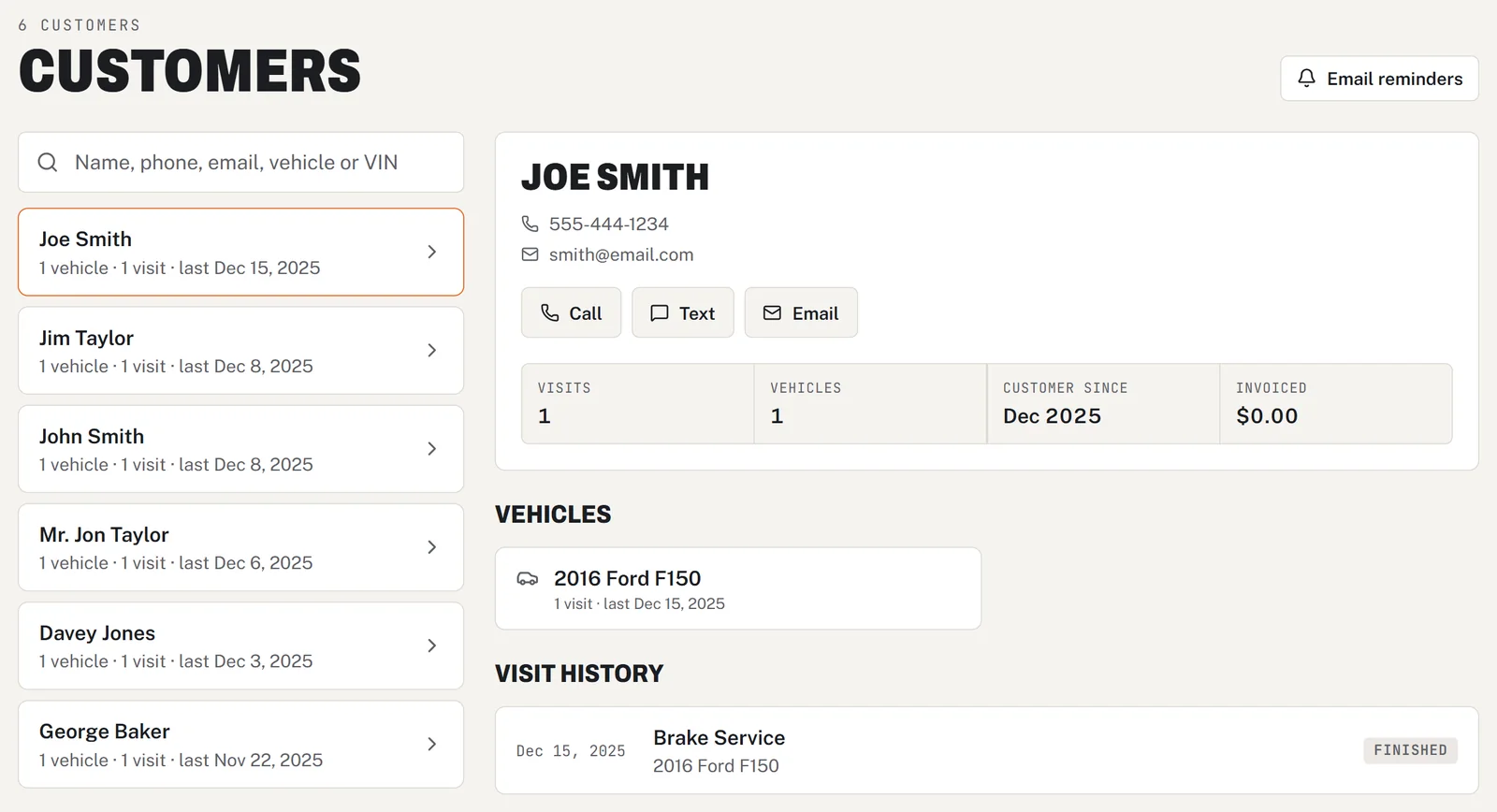
Text-to-pay
Get paid before they leave the lot.
Send a payment link by text or email. Card payments go straight to your own Stripe account, with no Baybolt fee.
Learn more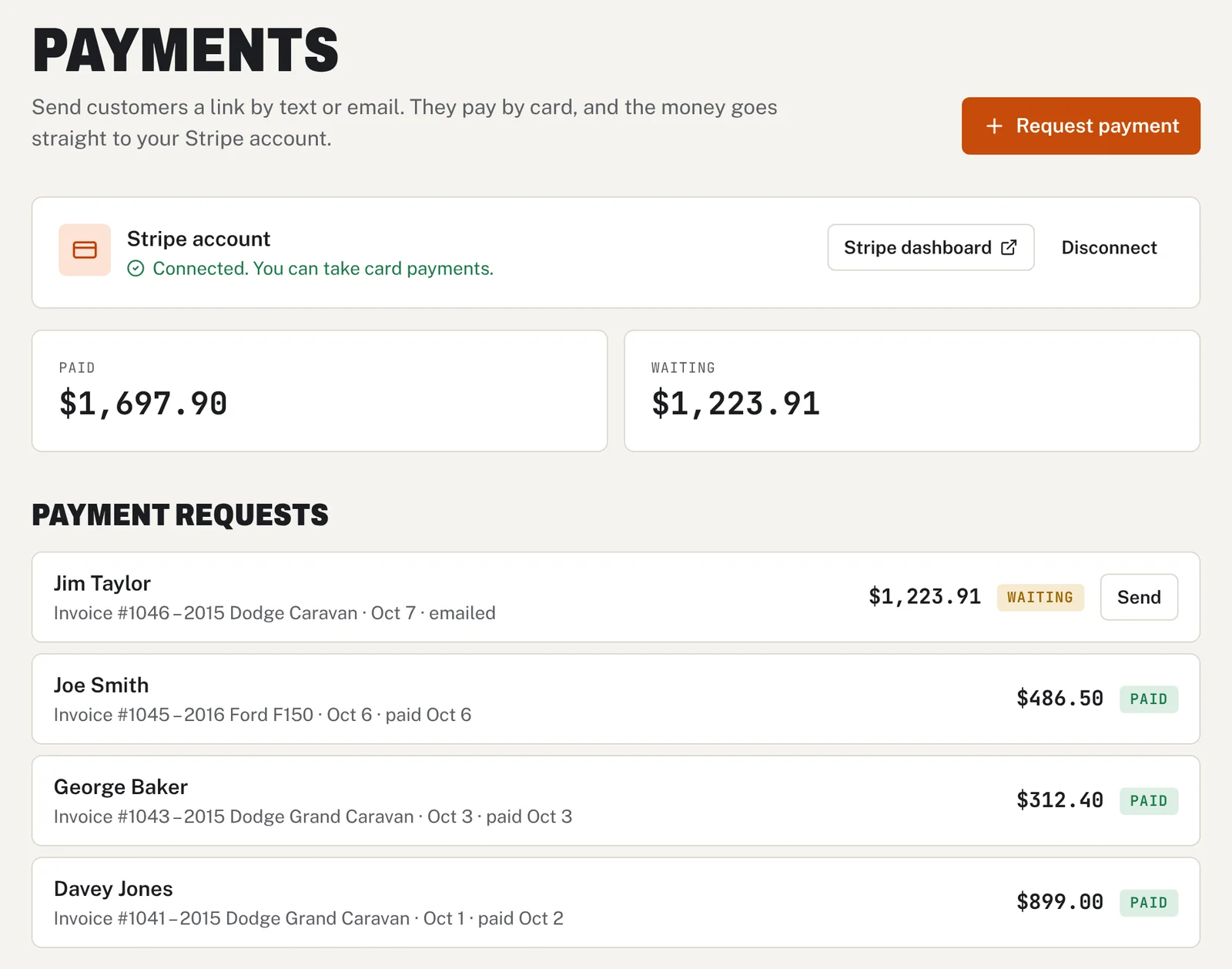
Saved jobs
Quote the usual jobs in one tap.
Save brake jobs, oil changes and other common work with the labor and parts filled in, then add them to any car.
Learn more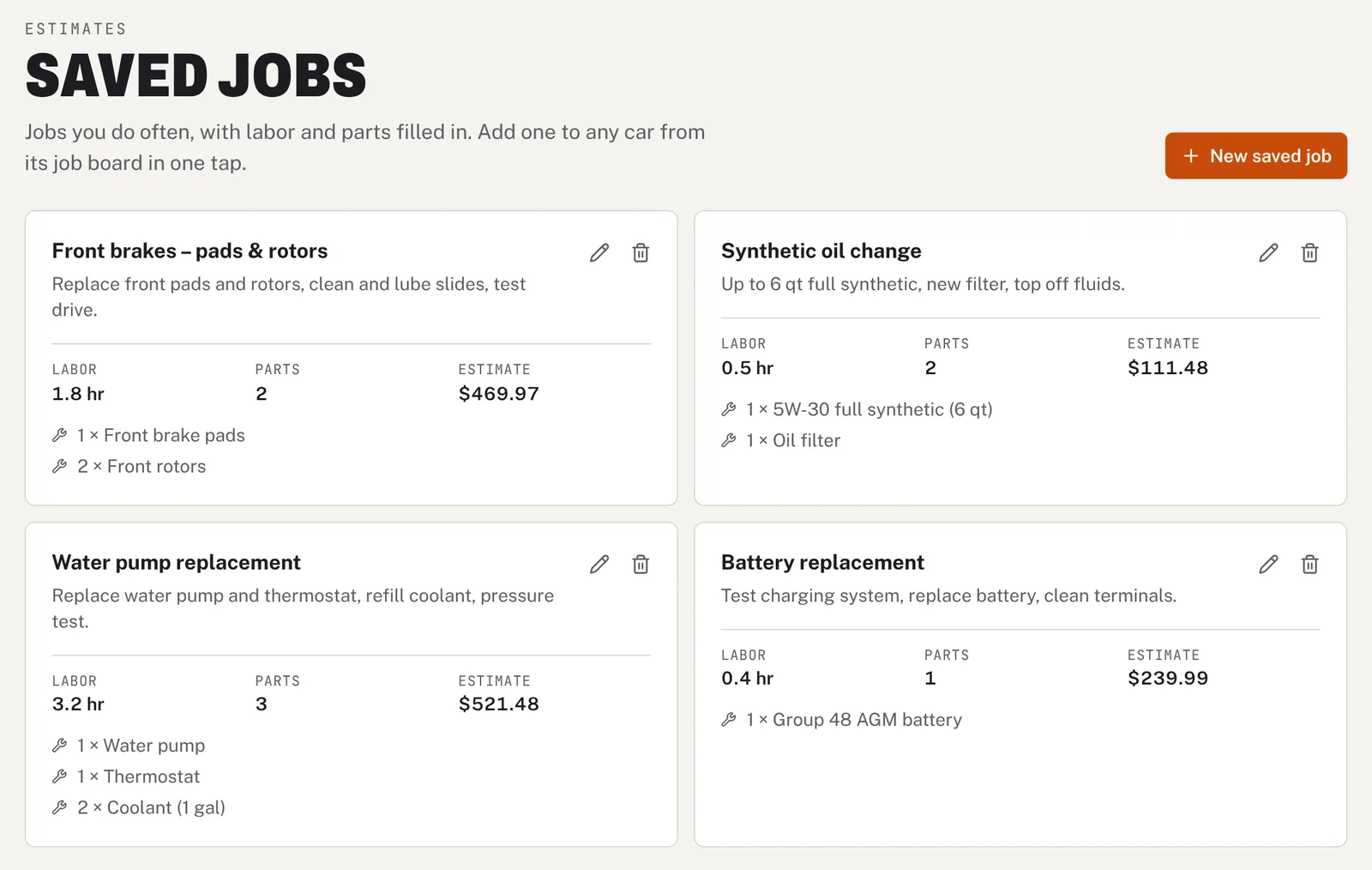
Email reminders
Reminders that bring customers back.
Baybolt emails customers the day before their appointment, and invites them back when they are due for service.
Learn more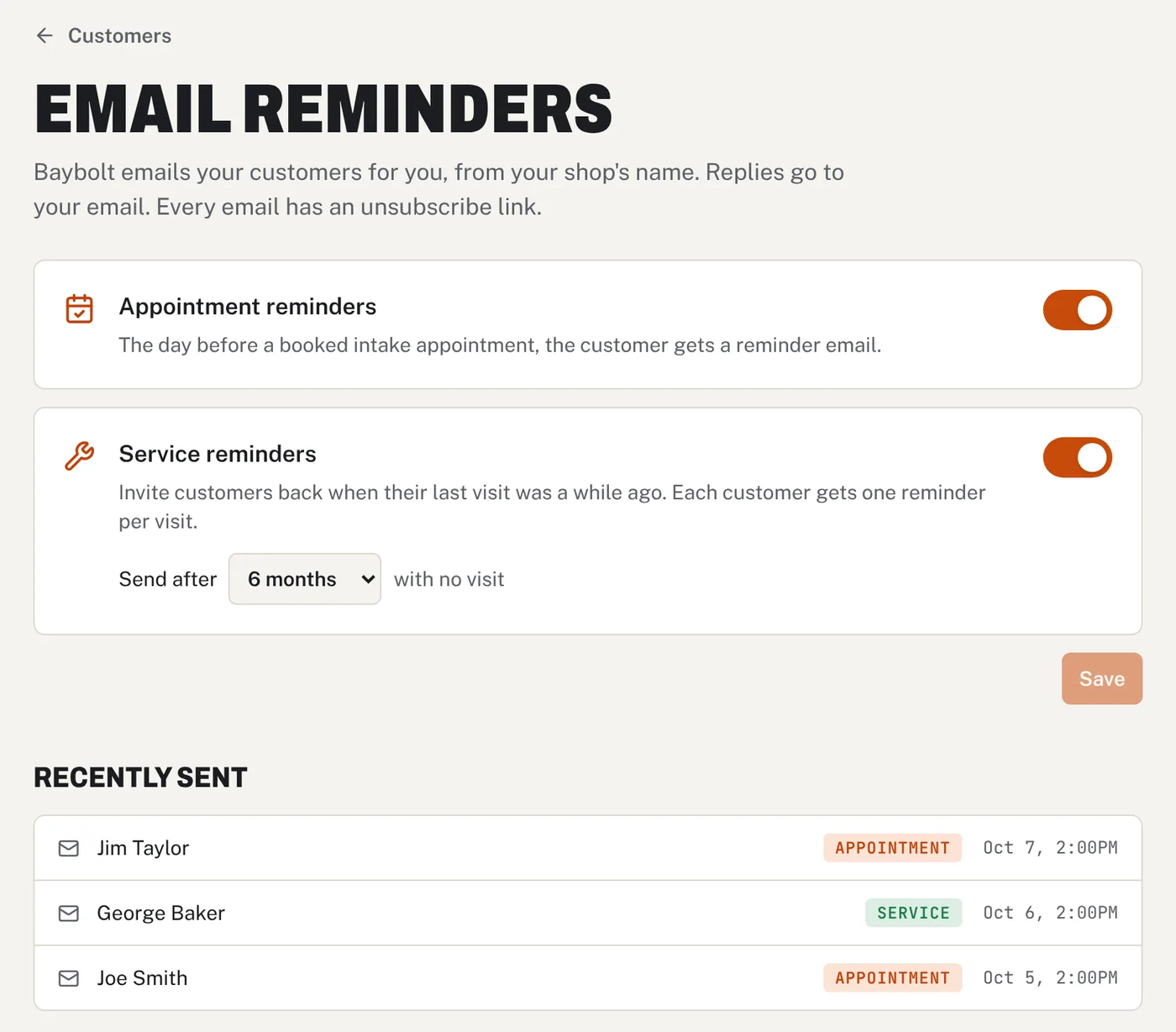
Compare
The big names start near $200. Then they add up.
Most shop software starts around $179 to $249 a month for the basic plan. Texting, time clocks and extra users often cost more on top, and some won't show you a price until you book a demo.
- Every feature, one plan
- Unlimited mechanics
- Text-to-pay and email reminders included
- Start today, no sales call
- No contract
Starting price per month
Entry-plan prices for Tekmetric, AutoLeap, Shopmonkey and Shop-Ware as listed on public software comparison sites in October 2026. Prices change; check each company for current pricing.
Side-by-side comparisons
Switching from one of these? Shopmonkey alternative, Tekmetric alternative, AutoLeap alternative, Mitchell 1 alternative, Protractor alternative
Everything included
27 features. One price.
No tiers and no add-ons. Every shop on Baybolt gets every feature on day one.
Bay & Project Management
- Project DashboardManage repairs, assign mechanics, and track jobs for every auto shop project.
- Smart Search & VIN ScannerFind any project by name, vehicle, or by using the mobile VIN scanner.
- Visual SchedulingSee every appointment and job on a calendar.
- Archive & RetrieveArchive finished projects and pull them up for repeat customers.
Team Management
- Unlimited MechanicsAdd mechanics at no extra cost per mechanic.
- Mechanic-Specific ViewsMechanics have their own view separate from shop owners.
- Team ScheduleThe whole week for every mechanic on one screen, with hours and days off.
- Mechanic Time TrackingMechanics clock in and out from their phone with automatic tracking.
- Labor Hours TrackerTrack each mechanic's hours worked, including breaks.
- Manager RolesPromote mechanics to managers to delegate shop duties.
Digital Vehicle Inspections
- Inspection ReportsPhoto inspection reports that build customer trust.
- Instant Customer ApprovalText/email DVIs, customers approve or deny in seconds.
- Approved Work to TasksTurn approved work into board tasks with one tap.
Smart Tools
- VIN Scanner & DecoderScan once and the vehicle details are saved with the job.
- Parts SearchSearch eBay, Amazon and RockAuto from one place.
- Saved JobsSave common jobs with labor and parts, and add them to any car in one tap.
- Invoices & EstimatesGenerate professional invoices and estimates in seconds.
Business Insights
- Insights DashboardTrack hours, parts spending, project data, and DVI metrics.
- Export to CSVExport data for any accounting software you want.
- Real-Time NotificationsKnow when mechanics update tasks, clock in/out, or customers respond.
Customer Communications
- Customers & Vehicle HistoryEvery customer with their vehicles and visit history, plus call, text and email buttons.
- Text-to-PayText or email a payment link. Customers pay by card and the money goes to your Stripe account.
- Automatic Email RemindersAppointment reminders the day before, and service reminders that bring customers back.
- Text & EmailSend inspections, estimates and invoices by text or email from your phone.
- Customer Progress TrackerCustomers can track their vehicle's repair status anytime.
- Google Sign-InEasy sign-in with Google—no passwords to remember.
- Appointment BookingThe front desk can book intake appointments.

Why Baybolt exists
“I worked inside an independent repair shop and watched the owner lose hours every day to outdated software, phone tag and hunting for parts. The tools that could help cost hundreds a month and charged extra for every mechanic. Baybolt is the tool I wish that shop had.”
Matthew Kobilan
Founder · Read the full story
Pricing
One plan. The whole shop.
Baybolt Pro
$79/month
Flat price, no matter how many mechanics you have.
- 14 days free, then $79/month
- Card required to start the trial
- Cancel before day 14 and you won't be charged
- No contract, cancel anytime
Everything included
- Unlimited mechanics, no per-seat fees
- Bay & project management
- Digital vehicle inspections
- VIN scanner & decoder
- Parts search (eBay, Amazon, RockAuto)
- Invoices & estimates
- Team schedule & time clock
- Customer list with vehicle history
- Text-to-pay (no Baybolt fee)
- Saved jobs for fast quotes
- Automatic email reminders
- Customer approvals & progress tracker
- Text & email from your phone
- Insights dashboard & CSV export
- Owner, manager & mechanic roles
- Works on iPhone, Android & computer
What is Baybolt?
Baybolt is auto repair shop management software for independent garages. It covers VIN check-in, digital vehicle inspections, quotes and invoices, job boards, team scheduling, time tracking, customer history, saved jobs, email reminders and text-to-pay. It costs $79 a month for the whole shop with unlimited mechanics, and runs in the web browser on any phone, tablet or computer.
Do I need a credit card for the free trial?
Yes. A card is required to start your 14-day free trial. If you cancel before the trial ends, you won’t be charged.
What happens after the 14 days?
Your trial turns into the $79/month plan. There’s no contract, and you can cancel anytime from your account.
Is it really unlimited mechanics?
Yes. Add as many mechanics and managers as you need. The price stays $79 a month for the whole shop.
Do I need to install anything?
No. Baybolt runs in the web browser on any phone, tablet or computer. You can also add it to your home screen so it opens like an app.
Can my mechanics use it from their phones?
Yes. Mechanics clock in and out, see the jobs assigned to them, update tasks and add inspection photos right from their phone.
How do customers get updates?
Send inspections, estimates and invoices by text or email from your phone. Customers can approve work from the inspection report and follow their repair with a tracking link.
How do online payments work?
Connect your own Stripe account once. Then send a customer a payment link by text or email, and they pay by card from their phone. The money goes straight to your Stripe account. Stripe charges its standard card fee, and Baybolt adds nothing on top.
Can Baybolt remind customers about appointments and service?
Yes. Turn on email reminders and Baybolt emails customers the day before a booked appointment, and invites them back a set number of months after their last visit. Emails come from your shop’s name, replies go to you, and every email has an unsubscribe link.
Can I get my data out?
Yes. Export your data to CSV anytime and use it with any accounting software.
Your whole shop on one screen.
Set up takes minutes. Add your mechanics, scan your first VIN and see your bays on one screen.
$79/month after the trial · Card required · Cancel anytime